
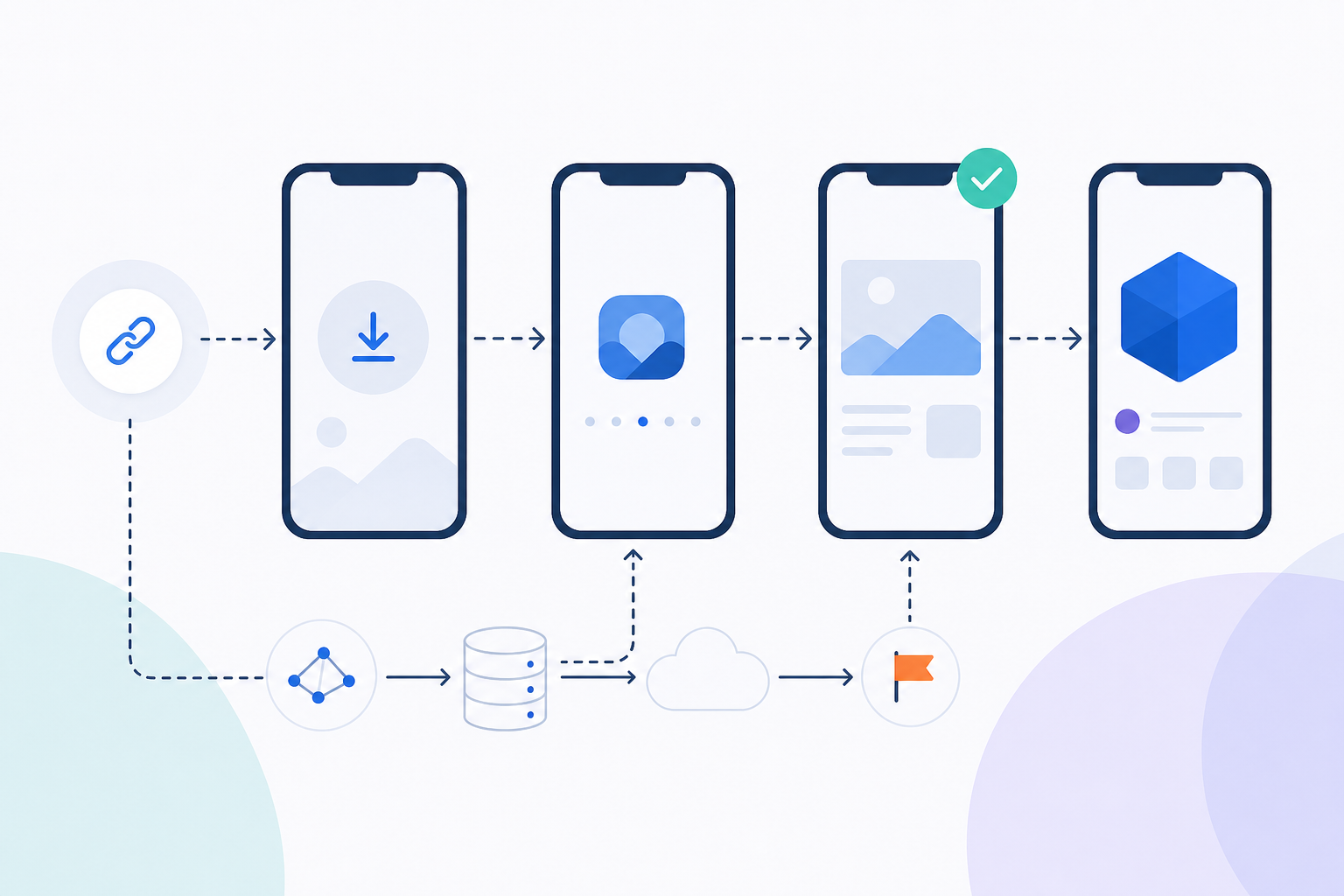
A user clicks your campaign link, gets redirected to the App Store, installs the app, and lands on the home screen. The product page they were meant to see is gone. The campaign that drove the install is untracked. The conversion is lost.
This happens because the store redirect strips all URL context — without a deferred deep link mechanism to preserve and restore that context post-install, the user and the attribution data both disappear. Google's shutdown of Firebase Dynamic Links removed the default option for teams that relied on it, turning this into a build-or-buy decision rather than a solved problem. This article is a build-and-test guide: implementation steps, platform-specific code, testing workflows, and a debugging checklist for when things break silently in production.
What a Deferred Deep Link Actually Does (30-Second Version)
The Three-Step Flow: Click → Store → Install → Destination
A deferred deep link carries a user to a specific in-app screen even when the app is not yet installed. The click is intercepted by an attribution server that stores the destination parameters, the user is redirected to the store, they install, and on first launch the SDK queries the server to retrieve those stored parameters and route the user accordingly.
Deferred Deep Link vs. Standard Deep Link: What Changes After Install
| Direct Deep Link | Deferred Deep Link |
|---|---|
| Precondition | App already installed |
| Context survival | Yes — URI handled directly |
| Platform native support | Universal Links and App Links |
Neither Universal Links nor App Links support deferred deep linking natively — for acquisition campaigns where the user does not yet have the app, a third-party deep linking provider is required. That distinction matters for every architectural decision in the sections that follow. Deep linking vs universal linking is a separate question; both are irrelevant until the app is installed.
How Deferred Deep Linking Works Under the Hood
Storing Click Context: The Two Matching Strategies
When a user clicks a deferred deep link, the attribution server must store the destination parameters and later match them to the correct install. There are two ways to do this, and they behave very differently.
Deterministic token matching generates a unique click ID at the moment of the click, stores it server-side, and embeds it in the redirect URL or passes it through a platform-specific channel. When the SDK calls home on first launch, it presents that token and the server returns the exact stored parameters. Accuracy is high, and no device signals are required — making it privacy-safe and GDPR-compatible.
Probabilistic fingerprint matching works by recording the user's IP address, user-agent string, device model, and other ambient signals at click time, then comparing those signals against what the SDK reports at install time. Accuracy is lower, the match degrades when a user switches networks between click and install, and it is increasingly blocked on iOS 17+ where privacy controls limit available signals. It is not GDPR-neutral without explicit consent.
The Post-Install Lookup: What Your SDK Calls and What the Server Returns
On first launch, the SDK makes an authenticated GET request to the attribution server, passing the token or available device signals. The server returns a JSON payload containing the stored parameters — destination screen, campaign ID, creative, and any custom key-value pairs you encoded in the original link. The SDK exposes these to the application layer via a callback.
{
  "matched": true,
  "match_type": "deterministic",
  "deferred_deep_link_data": {
    "destination": "product_detail",
    "product_id": "SKU-8821",
    "campaign": "summer_retargeting",
    "adset": "instagram_stories"
  }
}
Why iOS and Android Diverge at This Step
On iOS, SKAdNetwork and the ATT framework constrain which device signals the attribution server can observe. Probabilistic fingerprint matching becomes unreliable, making deterministic token matching the only dependable path for users who have granted consent. Without IDFA access, the token must travel through the redirect URL or a server-to-server channel.
On Android, the Google Play Install Referrer API provides a reliable deterministic channel. The click token is passed as the referrer parameter in the Play Store URL, survives the install, and is accessible to the SDK immediately on first launch — no fingerprinting required, no ATT equivalent blocking the signal.
iOS and Android deferred implementations tend to break silently rather than throw errors. The callback fires but returns null, the routing logic falls through to the home screen, and nothing in the console indicates a failure. This is the exact pattern the testing section addresses.
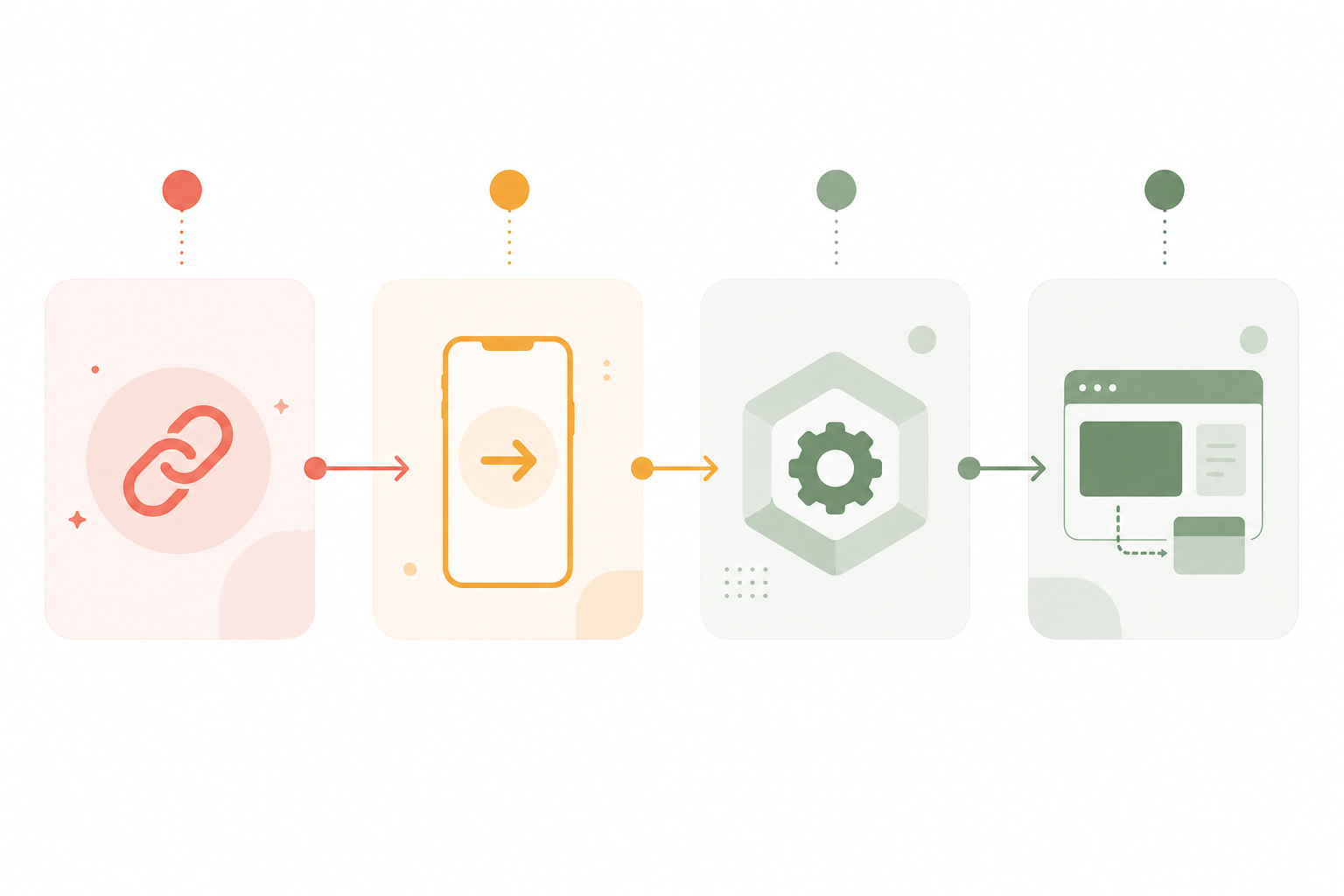
Implementing a Deferred Deep Link: Step-by-Step
Step 1 — Generate the Deep Link With Encoded Parameters
Every deferred deep link starts as a URL with your destination parameters encoded into it — either as query string values or as a structured payload your attribution server reads and stores when the link is clicked. A minimal link structure looks like this:
https://your-attribution-server.com/click
  ?destination=product_detail
  &product_id=SKU-8821
  &campaign=summer_retargeting
  &redirect=https://apps.apple.com/app/your-app/id123456789
If you are using Deeplinkly, link creation takes under 30 minutes — the dashboard generates a URL with your custom parameters already encoded, and the SDK handles the post-install lookup with a single initialization call. Deeplinkly attributes the install only when a supported deterministic click or referrer signal survives. It does not fingerprint the device to infer a fallback match; an install without a supported signal remains unattributed.
Step 2 — Handle the Pre-Install Click and Store Redirect
On iOS, Universal Links only fire when the app is already installed. When a new user clicks your campaign link, iOS cannot hand off to the app — the click must fall back to a web redirect that your attribution server intercepts to record the token before forwarding the user to the App Store. The server response at the click URL should set a short-lived cookie or server-side record keyed to the token, then issue a 302 to the store.
On Android, append the token as the referrer parameter to the Play Store URL:
https://play.google.com/store/apps/details
  ?id=com.yourapp
  &referrer=click_token%3Dabc123%26campaign%3Dsummer_retargeting
The Play Install Referrer API makes this value available to your SDK after install without any additional network lookup at click time.
Step 3 — Initialize the SDK and Register the Post-Install Callback
The snippets below use a generic AttributionSDK placeholder — substitute your provider's SDK. The SDK must initialize as early as possible in the app lifecycle — ideally in AppDelegate on iOS and Application.onCreate on Android — so the post-install lookup runs before the user sees any screen.
Swift (iOS)
import AttributionSDK

@main
class AppDelegate: UIResponder, UIApplicationDelegate {
    func application(_ application: UIApplication,
                     didFinishLaunchingWithOptions options: [UIApplication.LaunchOptionsKey: Any]?) -> Bool {
        AttributionSDK.initialize(apiKey: "YOUR_API_KEY") { result in
            switch result {
            case .success(let params): AppRouter.shared.route(params)
            case .failure: AppRouter.shared.routeToHome()
            }
        }
        return true
    }
}
Kotlin (Android)
class MyApplication : Application() {
    override fun onCreate() {
        super.onCreate()
        AttributionSDK.initialize(this, apiKey = "YOUR_API_KEY") { result ->
            result.onSuccess { params -> AppRouter.route(params) }
            result.onFailure { AppRouter.routeToHome() }
        }
    }
}
Step 4 — Read Deferred Parameters and Route the User
Once the callback fires with a populated params object, read the destination key and push the correct view.
Swift (iOS)
func route(_ params: DeeplinkParams?) {
    guard let destination = params?.string(forKey: "destination") else {
        show(HomeViewController()); return
    }
    switch destination {
    case "product_detail":
        let vc = ProductDetailViewController(productId: params?.string(forKey: "product_id"))
        navigationController?.pushViewController(vc, animated: false)
    default:
        show(HomeViewController())
    }
}
Kotlin (Android)
fun route(params: DeeplinkParams?) {
    when (params?.getString("destination")) {
        "product_detail" -> {
            val fragment = ProductDetailFragment.newInstance(params.getString("product_id"))
            navController.navigate(R.id.productDetailFragment, fragment.arguments)
        }
        else -> navController.navigate(R.id.homeFragment)
    }
}
How to Test a Deferred Deep Link
How to test a deferred deep link (5 steps):
- Uninstall the app from the test device completely.
- Click the campaign link from a browser — not from inside an already-open app.
- Complete the install from the store without opening the app mid-flow.
- Open the app and confirm the SDK callback fires with the expected parameters.
- Check the attribution dashboard to verify the install is attributed to the correct campaign.
Pre-Release Testing Checklist
Before running the manual procedure, verify these conditions or results will be unreliable:
- The app is fully uninstalled — not just closed. Residual SDK state on a previously installed device causes the server to treat the launch as a re-open, not a first install.
- The supported deterministic click or referrer signal is present in the test flow. Deeplinkly does not infer a fallback match from the device's IP address or characteristics.
- On iOS, the test device is not logged into a TestFlight account that auto-installs updates, which can corrupt the install signal.
- The attribution server click token has not already been consumed by a previous test run on the same device.
Step-by-Step Manual Test Procedure for iOS and Android
On iOS: Use Safari to click the link. Do not use Chrome — iOS routing behavior differs between browsers. Confirm the server redirects to the App Store. Install the app. Do not tap the app icon in the App Store confirmation banner, which can bypass the first-launch initialization sequence. Open from the home screen.
On Android: Use Chrome. Confirm the Play Store URL contains the referrer parameter by inspecting the redirect in a proxy tool like Charles or mitmproxy before submitting to QA.
Automated Test Approaches: What You Can and Cannot Mock
You cannot fully mock the store redirect in unit tests — the App Store and Play Store are not stubable environments. Integration tests should stub the attribution server response and assert that the routing logic produces the correct screen given a known JSON payload.
@Test fun `routes to product detail when destination param is set`() {
    val fakeParams = DeeplinkParams(mapOf("destination" to "product_detail", "product_id" to "SKU-8821"))
    val screen = AppRouter.route(fakeParams)
    assertEquals(Screen.PRODUCT_DETAIL, screen)
}
Test the routing logic exhaustively in unit tests. Test the full flow — click to screen — manually on a real device before every release.
Reading Attribution Logs to Confirm Context Survived
A successful attribution log entry contains a populated deferred_deep_link_data object with your encoded parameters and "match_type": "deterministic". A failed attribution returns "matched": false and a null or empty deferred_deep_link_data field.
Demos pass while production quietly drops context. The two most common causes: the test device had the app previously installed so the server found no unconsumed token, or the device was on a VPN during the click, producing a different IP at lookup time. Both conditions produce a silent null return, not an error.
Debugging Failed Deferred Deep Links
Failure Mode 1: User Lands on Home Screen Instead of Target Destination
- Symptom: SDK callback fires but routes to home screen.
- Likely Cause: The
destinationparameter is present but the routing switch has no matching case, or the parameter key name does not match what the server returned.
- Diagnostic Step: Log the full params object immediately inside the callback before any routing logic.
- Fix: Confirm the key names in your link match exactly what your routing switch reads — case-sensitive string comparison will silently fall through to the default case.
Failure Mode 2: Parameters Are Null on First Launch
- Symptom: Callback fires with a null or empty params object.
- Likely Cause: The click token was already consumed by a previous install on the same device, the attribution window expired before install, or the app was opened via the App Store banner rather than the home screen icon.
- Diagnostic Step: Check the attribution server logs for a lookup request from the device — if a request was made and the server returned no data, the token was already consumed.
- Fix: For QA, always test on a freshly wiped device or simulator with a new token generated from a fresh link click.
Failure Mode 3: Attribution Is Missing or Attributed to Wrong Campaign
- Symptom: Install appears in the dashboard but is attributed to organic or to a different campaign.
- Likely Cause: The
referrerparameter was URL-encoded incorrectly on Android, or the click happened outside the configured attribution window.
- Diagnostic Step: Decode and inspect the
referrervalue using the Play Install Referrer API test tool, or check the raw server logs for the click record.
- Fix: Verify URL encoding on the referrer string and confirm your attribution window is configured to cover the typical gap between ad click and install for your channel.
Failure Mode 4: iOS-Specific — Callback Never Fires After ATT Prompt
- Symptom: On iOS, the post-install lookup callback never executes, or executes with incomplete data.
- Likely Cause: ATT prompt timing. If the SDK initializes and makes the post-install lookup before the user responds to the ATT prompt, the lookup executes with a different signal set than expected — or the request is delayed by the OS waiting for consent resolution.
- Fix: Defer the SDK attribution call until after consent is resolved, or use a deterministic token-based flow that does not depend on IDFA at any point. Token-based matching is unaffected by ATT status.
Measuring Deferred Deep Link Performance: Metrics That Matter
The Four Metrics to Track From Click to In-App Destination
Track these four metrics to diagnose where users are dropping out of the deferred deep link funnel:
- Click-to-install rate segmented by channel the baseline efficiency of each campaign driving new installs.
- Deferred deep link match rate installs where deferred parameters were successfully returned, as a percentage of total installs from campaign links. Match rate below 85% is a signal to investigate your matching strategy or attribution window.
- Destination hit rate users who reached the intended in-app screen as a percentage of matched installs. A gap here points to a routing implementation bug, not an attribution problem.
- Post-destination conversion rate the purchase, sign-up, or other conversion event triggered from the target screen. This is the metric growth teams care about; the three upstream metrics explain why it is or is not hitting target.
Attribution Window Configuration: What to Set and Why It Affects Your Numbers
A 7-day click-through attribution window is standard for mobile — it covers the realistic gap between ad exposure and install for most channels. For video campaigns, a 1-day view-through window is reasonable. Extending windows beyond these defaults inflates attributed install counts without improving accuracy; you begin attributing installs to campaigns that did not drive them, which corrupts downstream ROAS calculations.
Connecting Deferred Deep Link Data to Downstream Conversion Events
Pass the campaign parameters retrieved at first launch into your analytics event properties from that session forward. A user who arrived via a deferred deep link carrying campaign=summer_retargeting should carry that attribution through to their first purchase event, so you can close the loop between ad spend and revenue without relying on last-touch aggregation in a separate tool.
Frequently Asked Questions
What is a deferred deep link?
A deferred deep link routes a new user to a specific in-app screen after they install the app — preserving the destination context that would otherwise be lost during the App Store or Play Store redirect. The click parameters are stored server-side at the moment of the click and retrieved by the SDK on first launch.
What is the difference between deeplink and deferred deeplink?
A standard deep link opens a specific screen inside an app that is already installed on the device. A deferred deep link does the same thing, but also handles the case where the app is not yet installed — storing the destination parameters before sending the user to the store, then restoring them after install.
What's the difference between deferred and direct deep links?
A direct deep link requires the app to be present on the device — the OS hands the URI directly to the app, which routes the user immediately. A deferred deep link works for users who do not yet have the app: context is stored on an attribution server at click time and recovered post-install via an SDK call. Direct deep links are handled natively by Universal Links and App Links; deferred deep links are not.
How to test deferred deep link?
Fully uninstall the app from a real device, click the campaign link in a browser, install the app from the store without opening it mid-flow, then launch from the home screen and confirm the SDK callback returns the expected parameters. Check the attribution dashboard to verify the install is matched to the correct campaign. Never test on a device where the app was previously installed — the server will find no unconsumed token and return null parameters, giving a false failure.
Build the deferred deep link that doesn't drop installs.
You now have the implementation pattern, the testing workflow, and the debugging checklist. The remaining decision is who owns the attribution server and SDK that make the post-install lookup work — build it yourself, or use a purpose-built MMP that trades some control for faster iteration and handled platform compliance.
Start Free
Talk to Sales
Trusted by 50+ apps
99.99% uptime
Back to all articles
© Deeplinkly