
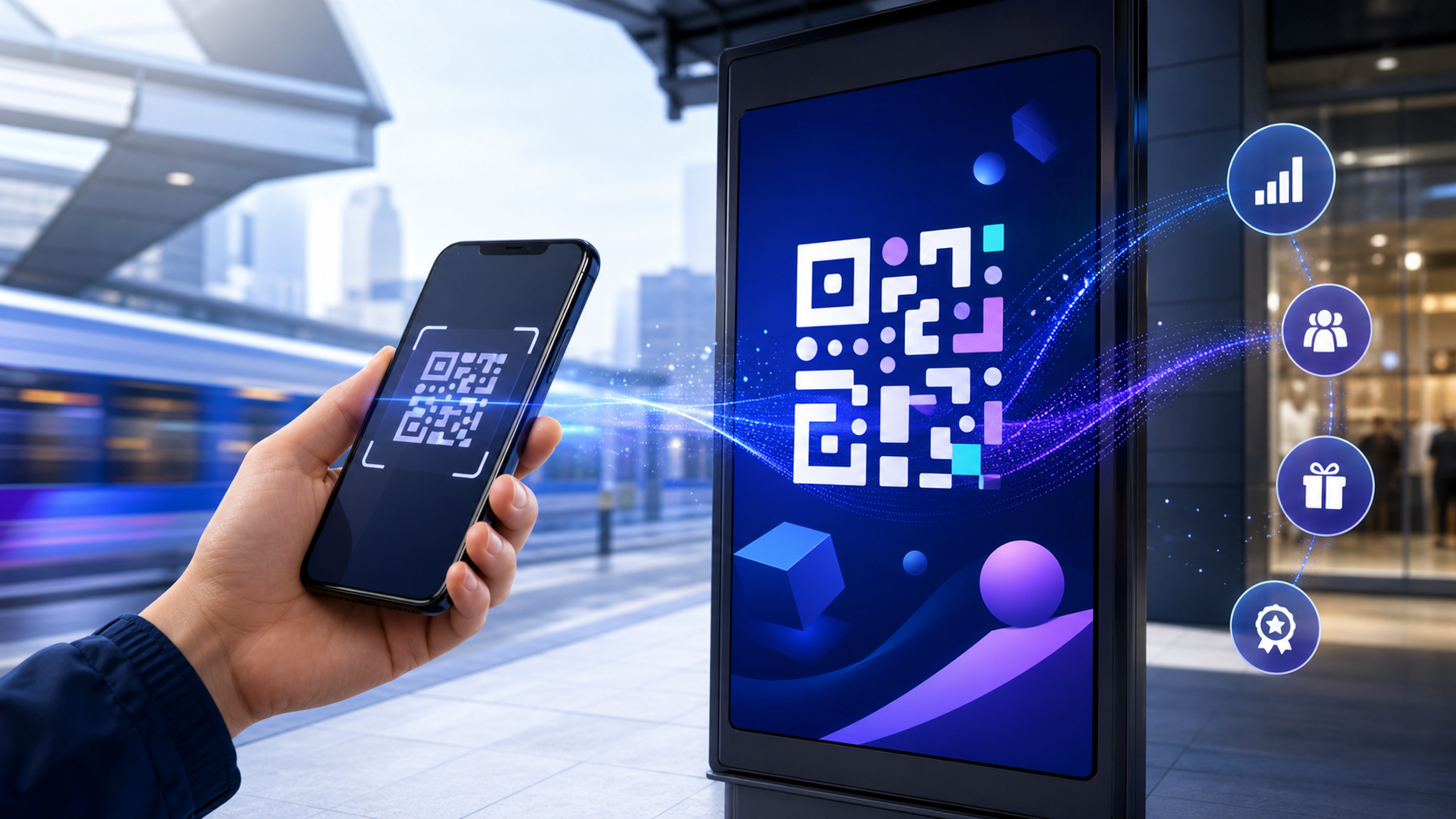
A QR code ad can turn a billboard, package, flyer, store display, or connected-TV spot into a measurable mobile action. The code is only the entry point: performance depends on where the scan lands, whether the link opens the right app screen, what happens when the app is not installed, and whether the eventual conversion is attributed to the correct placement.
That last part is where many campaigns break. A team celebrates scan volume while users hit a generic web page, search manually in an app store, or install the app and lose the offer that motivated the scan. This guide shows growth marketers and mobile developers how to build the whole path—from physical impression to attributed in-app outcome.
What is a QR code ad?
A QR code ad is an advertisement containing a machine-readable code that sends a smartphone to a digital destination. In a mobile app campaign, that destination should be a controlled HTTPS link that can open specific app content, route non-users to the correct store, preserve campaign context through installation, and record what the user does next.
The scan itself is equivalent to opening a URL. It does not automatically create attribution, deep linking, or a good landing experience. Those capabilities come from the link and measurement system behind the code.
This distinction matters because QR advertising sits between physical and digital channels. The ad may appear in print, on packaging, on a point-of-sale display, at an event, on a billboard, or on a second screen such as television. Search results commonly cover those placements and creative ideas: Bitly groups QR uses by advertising medium, while Innovid focuses on interactive CTV executions. But placement is only one layer of a working system.
For an app campaign, the complete journey is:
- A person sees the ad and understands the value of scanning.
- The phone resolves a branded HTTPS URL.
- The link records the placement and creative context.
- An installed app opens the promised screen; otherwise, the user reaches the correct app store.
- After a new install, the app restores the intended destination and campaign context.
- Install, activation, purchase, or subscription events are tied back to the scan.
If any handoff fails, the campaign may still report scans while producing a weak user experience and incomplete revenue data.
How to build a QR code ad for mobile app installs
Start with the action after the scan, not the artwork. “Scan to learn more” often produces an unfocused landing page. “Scan to try this feature,” “Scan to claim the in-app offer,” or “Scan to watch episode one” gives the user and the implementation team a precise destination.
1. Define one outcome and one destination
Choose the event that makes the placement worthwhile. It might be an app install, account creation, first purchase, subscription start, product view, loyalty enrollment, or saved event. Then map that outcome to the deepest useful destination.
For example, a poster promoting a running challenge should not open the app home screen. It should open the challenge page for existing users and restore that same page after installation for new users. A retail QR code beside a product should open the matching product detail page, not a generic store category.
Write the routing contract before generating the code:
| Situation | Expected destination | Required context |
|---|---|---|
| App installed on iOS | Exact in-app screen | Campaign, placement, creative, content ID |
| App installed on Android | Exact in-app screen | Same context |
| App not installed | Correct regional app store | Context retained for first open |
| Unsupported device | Mobile web fallback | Offer and campaign context retained |
| Link or route unavailable | Safe fallback page | Error logged without a dead end |
That table becomes both the implementation brief and the acceptance test.
2. Use a dynamic redirect URL
A static QR code stores its final destination directly in the code. Changing that destination means replacing the printed or rendered creative. A dynamic QR code stores a stable redirect URL whose destination can be updated later. That makes it safer for long-running campaigns and lets one controlled domain apply routing, logging, and fallback rules.
The QR Code Generator recommends dynamic codes for advertising because teams can change destinations and compare scan activity without reprinting. The operational benefit is larger for app campaigns: the redirect can distinguish iOS, Android, installed-app, store, and mobile-web paths while keeping one visible code.
Use a branded HTTPS domain rather than an unfamiliar shortener. The domain is part of the trust signal a phone displays before opening the destination, and it gives your team control over redirects if a vendor changes.
3. Give every placement its own link
Do not print one universal code across a magazine ad, retail display, event booth, and CTV spot. Each placement needs a unique link or immutable placement identifier, even when all codes eventually open the same screen.
Use a consistent campaign taxonomy such as:
campaign_id = summer_launch
channel = qr
placement = store_window_mumbai_04
creative = blue_offer_v2
destination = product_8421
For web reporting, Google recommends setting the relevant campaign parameters rather than tagging a URL with only one field. Its Analytics URL-builder guidance identifies utm_source, utm_medium, and utm_campaign as the core fields and supports additional identifiers for campaign and creative detail.
A practical implementation keeps the visible QR payload short and stores the longer analytics context behind the redirect. Shorter payloads produce less-dense codes, while the redirect service can still append approved parameters to the eventual web destination or pass structured values into the app.
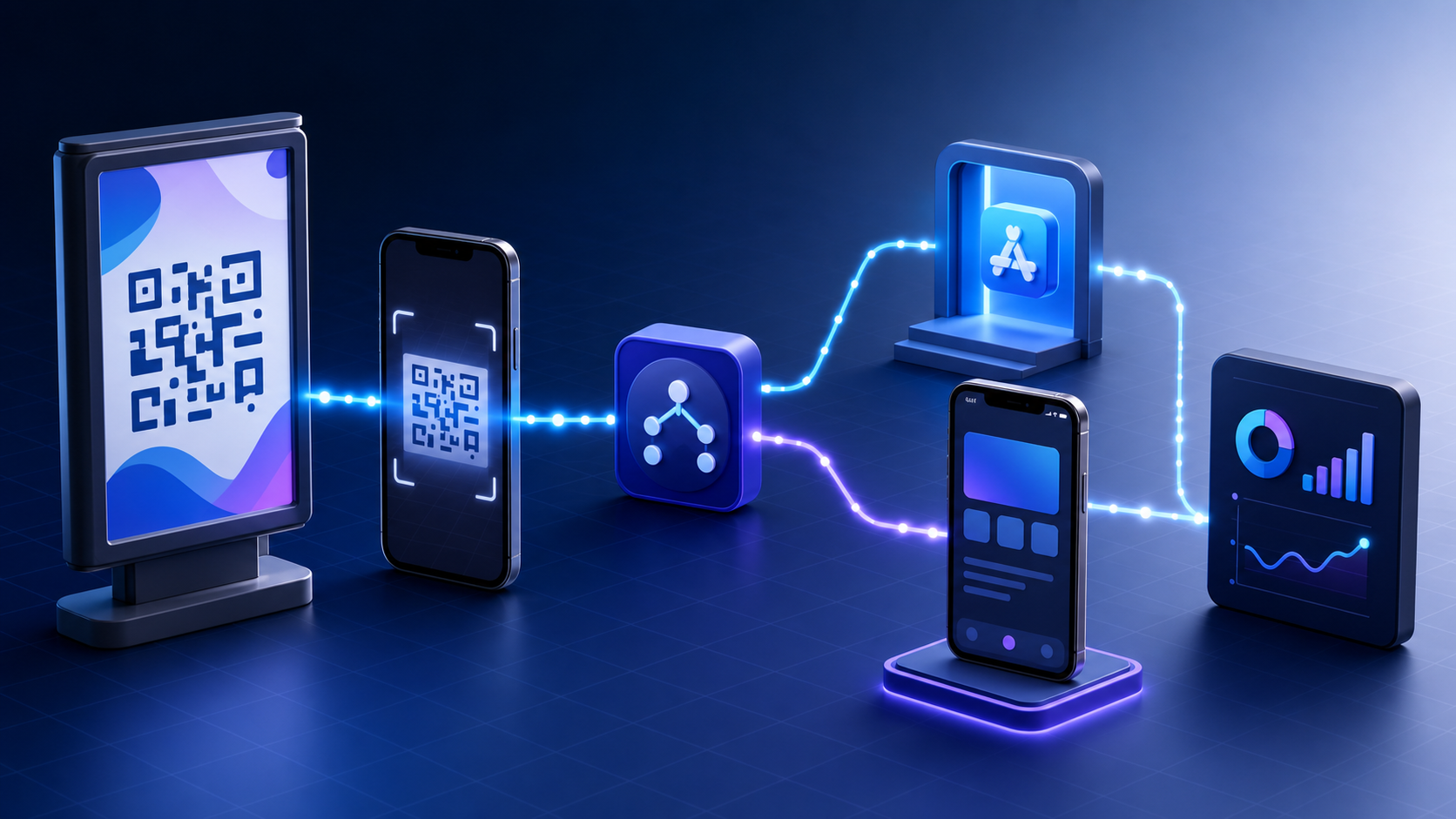
How QR code ads open the right app screen
The solution layer starts after the redirect receives the scan. The routing service decides whether to open app content, send a new user to a store, or use a mobile-web fallback.
Installed users: verified app links
On iOS, Universal Links connect HTTPS URLs to an app through the Associated Domains entitlement and an apple-app-site-association file served by the website. Apple’s associated-domain documentation explains that the domain file and app entitlement must match; each relevant subdomain needs the correct configuration.
On Android, verified App Links use intent filters plus a hosted assetlinks.json file. Android’s App Links overview describes the domain-verification step that lets matching HTTPS URLs open app content without an app-choice dialog.
Both systems are more reliable than a custom URI scheme alone because they establish a verified relationship between the domain and app. They also give users without the app a valid web destination instead of a broken protocol error.
New users: deferred routing through installation
An app store does not carry an arbitrary web redirect into the newly installed app by itself. A deferred deep-link system records the click context before the store redirect, matches the first app open to that interaction, and returns the saved destination to the app.
On Android, the official Google Play Install Referrer API can return referral content and click/install timestamps from Google Play. Cross-platform campaigns still need a consistent routing and attribution design for iOS, Android, web fallbacks, and downstream events.
This is also why old Firebase Dynamic Links URLs should not sit behind newly printed QR campaigns. Google’s Dynamic Links deprecation FAQ states that the service shut down on August 25, 2025 and that served links stopped working. A printed code can outlive a campaign platform, so the durable asset should be a domain your team controls.
Deeplinkly combines branded links, iOS and Android routing, deferred deep linking, and install attribution in one campaign path. A team can keep the QR code stable while changing its destination or offer, then measure the install and in-app events that followed the scan rather than stopping at scan counts.
Preserve the promise after first open
Deferred routing is not complete when the SDK returns parameters. The app must validate them, map them to a supported route, and navigate only after authentication, onboarding, and remote configuration are ready.
Use a route allowlist and explicit fallbacks. If destination=product_8421 is unavailable, send the user to a relevant category with a short explanation—not the home screen with no context. If the offer requires sign-in, preserve the destination through authentication and resume it afterward.
How to measure a QR code ad from scan to revenue
Scan count is a diagnostic metric, not the business result. Build a funnel that separates link performance, installation, activation, and value.
| Funnel stage | Recommended event | What it diagnoses |
|---|---|---|
| Scan | Unique redirect visit | Creative, placement, and incentive strength |
| Route | App open, store redirect, or web fallback | Link configuration and installed-app share |
| Install | Attributed first open | Store conversion and deferred matching |
| Activation | Campaign-specific success event | Whether the destination delivered its promise |
| Value | Purchase, subscription, revenue, or retained use | Business impact and audience quality |
Calculate at least these rates:
- Scan-to-open rate: successful app or web opens ÷ unique scans.
- Scan-to-install rate: attributed first opens ÷ new-user scans routed to a store.
- Activation rate: users completing the target action ÷ attributed first opens.
- Revenue per scan: attributed revenue ÷ unique scans.
- Cost per activated user: placement and production cost ÷ activated users.
Segment every rate by placement and creative. A code on a checkout display has different intent from one on a highway billboard, so combining them hides the reason performance changed.
Also distinguish scans from people. Internal testing, repeated attempts, and multiple scans by one device can inflate the top of the funnel. Keep raw events for troubleshooting, but use deduplicated users or devices for campaign decisions where privacy and platform rules allow it.
Diagnose the gap, not just the final conversion
When a campaign underperforms, the stage where users disappear tells you what to fix:
- High impressions and low scans point to the offer, CTA, visibility, or viewing distance.
- High scans and low successful opens point to redirects, domain verification, or slow fallbacks.
- High store visits and low installs point to app-store relevance and listing conversion.
- High installs and low activation point to deferred routing, onboarding friction, or a mismatched promise.
- Strong activation and weak revenue point to audience economics rather than the QR code itself.
This stage-level view prevents a growth team from redesigning the code when the real failure is an app route or onboarding step.
QR code ad creative, placement, and safety rules
The best routing stack cannot rescue a code that people cannot see, trust, or scan. Treat the final creative as a functional interface.
Make the value explicit
Place a short benefit-led CTA next to the code: “Scan to install and claim the offer” is clearer than “Scan me.” The destination must deliver that promise immediately. If the creative promotes a specific product, episode, coupon, or event, the first screen should show it.
Competitor guidance consistently emphasizes context testing. URLgenius recommends testing the printed execution at its real distance, size, color contrast, and device conditions rather than approving the code only on a designer’s monitor.
Design for the actual environment
Preserve a clear quiet zone around the code and strong contrast between modules and background. Avoid placing it across folds, seams, reflective materials, fast-moving surfaces, or the edge of a display. Test the final production file—not just the original code—because resizing, compression, logos, and print defects can change scan reliability.
For CTV or digital-out-of-home, allow enough on-screen time for someone to notice the CTA, unlock a phone, frame the code, and scan safely. For an ad already viewed on a phone, provide a normal tappable link as well; asking users to scan the screen they are holding creates unnecessary friction.
Give users a readable fallback URL and accessible description near the code. That supports people who cannot scan and provides a recovery path when the camera, lighting, or network fails.
Protect trust
QR codes hide their final destination until a device resolves them, which makes domain trust and redirect hygiene important. The US Federal Trade Commission warns that attackers can replace legitimate codes or send people to spoofed sites; its QR-code safety guidance recommends inspecting the URL and checking for lookalike domains.
For campaign owners, the corresponding controls are straightforward:
- Use a recognizable branded domain with HTTPS.
- Restrict destination changes to authorized users and log every edit.
- Monitor redirects for unexpected domains or parameters.
- Physically inspect public codes during a long-running placement.
- Retire campaigns to a safe branded page instead of leaving dead redirects.
- Never request credentials immediately after an unexplained scan.
A prelaunch test plan for QR code advertising
Run the test on production-equivalent creative and real devices. A desktop redirect check is not enough.
- Scan each placement. Confirm that its campaign, placement, and creative IDs are unique and correct.
- Test installed iOS. Verify the Universal Link opens the intended screen from the camera and from any channel-specific browser involved.
- Test fresh-install iOS. Remove the app, scan, install, open, complete onboarding, and confirm the promised destination resumes.
- Test installed Android. Verify the App Link opens without a chooser and that the intended route loads.
- Test fresh-install Android. Confirm the store redirect, Install Referrer or attribution match, first-open parameters, and resumed route.
- Test mobile web. Use an unsupported device and confirm the fallback keeps the offer and campaign context.
- Test failure paths. Try an expired offer, invalid content ID, slow network, denied tracking permission, and logged-out account.
- Verify events. Confirm scan, route, install, activation, and revenue events share the expected campaign ID without duplicates.
- Inspect reporting. Check that each placement appears separately and that internal QA traffic can be filtered.
- Approve the physical proof. Scan the actual printed, projected, or displayed creative at realistic angles, light levels, and distances.
Record the result as a reusable matrix. When the destination or app release changes, rerun the routing and event portions before the campaign continues.
Frequently asked questions
Can a QR code ad open a mobile app?
Yes. A QR code can encode an HTTPS link associated with an iOS or Android app. If the app is installed, a verified Universal Link or App Link can open the intended screen; if it is not installed, a deferred deep-link flow can route to the store and restore the destination after first open.
Should an advertising QR code be static or dynamic?
Use a dynamic code for most advertising. It lets the campaign owner update destinations, apply device-aware routing, preserve a stable printed asset, and measure scans. A static code is better only when the encoded destination must never change and no redirect or campaign measurement is needed.
How do you track a QR code ad?
Give each placement a unique controlled URL and campaign identifiers. Record the redirect, routing decision, attributed install or app open, target in-app event, and revenue so reporting can calculate conversion rates from scan through business outcome.
Can the same QR code be used across every ad placement?
It can, but it should not be if you need useful measurement. Separate codes or placement identifiers reveal whether a billboard, package, event booth, print ad, or CTV creative produced the scan and downstream conversion.
What happens when someone scans but does not have the app?
The link should send the user to the correct app store while an attribution system records the click context. After installation and first open, deferred routing returns that context so the app can open the promised content and attribute the conversion to the QR campaign.
Conclusion
A QR code ad succeeds when the experience after the scan is as deliberate as the creative before it. Use a branded dynamic URL, give every placement its own identity, configure verified and deferred app routing, preserve the promised destination, and measure activation or revenue—not scans alone.
Before printing or launching, test the complete journey on fresh-install and installed iOS and Android devices. If your team needs one link layer for QR routing, app-store fallback, deferred deep linking, and attribution, start with Deeplinkly and build the campaign around the outcome you actually want users to complete.