

A user watches a YouTube pre-roll for your app, taps the CTA, lands on a generic App Store page, and exits. The install — if it happens — never ties back to that campaign. That broken funnel is the most common and most expensive failure in in-stream advertising for mobile teams.
In-stream is one of mobile's highest-intent ad surfaces. Users are mid-session, already engaged with video content, and far more receptive to a relevant CTA than someone scrolling a static feed. Three innovations are accelerating this further: shoppable CTV ads, programmatic video, and live sports streaming — all of which are turning passive viewers into direct-conversion opportunities (Source: aidigital.com).
This guide covers every layer a mobile developer needs: format specs, platform-specific SDK setup, pricing models, and — critically — how to wire attribution so every in-stream click maps to a verified install and post-install event.
---
What Is In-Stream Advertising? Core Formats Explained
Instream advertising refers to video ads that play inside an existing video player — before, during, or after the main content. The ad is embedded in the stream itself, not placed around it. That distinction matters for developers because it determines which SDK handles delivery, how the player interacts with your ad tag, and what signals you can capture for attribution.
Skippable vs. Non-Skippable In-Stream Video Ads
Skippable ads give users the option to skip after 5 seconds. They run on YouTube via the IMA SDK and are billed on a cost-per-view (CPV) basis — you only pay when the user watches 30 seconds or engages. Non-skippable ads force full viewing, typically capped at 15–20 seconds depending on platform, and are billed on CPM. For mobile installs, skippable formats tend to produce higher-quality clicks because intent is self-selected.
Bumper Ads, Mid-Roll, and Overlay Variants
Bumper ads are 6-second non-skippable units, designed for reach and brand recall rather than direct response. Mid-roll ads interrupt longer content (10+ minutes) and carry higher completion rates because the user is already invested in the video. Overlay ads are semi-transparent display units that appear over the lower portion of a video — mobile support is limited, and they are rarely used for app install campaigns.
In-Stream vs. In-Feed vs. Out-Stream: Key Differences
In-feed ads appear natively in content feeds (YouTube home, Instagram Explore) and only play when tapped. Out-stream ads run outside a video player entirely — typically in article pages as auto-play units. In-stream ads live inside the player, which gives them higher visibility and completion rates but also stricter format requirements and platform-specific compliance rules.
Where In-Stream Fits in a Mobile Growth Stack
For app install campaigns, instream advertising sits at the top-to-mid funnel: it generates high-intent clicks but requires deep linking and MMP integration to close the loop between ad view and attributed install. Without that layer, you're optimizing blind.
| Format | Skippable | Max Length | Mobile Supported | Typical Use Case |
|---|---|---|---|---|
| Skippable In-Stream | Yes (after 5s) | No hard cap | Yes | App installs, DR campaigns |
| Non-Skippable In-Stream | No | 15–20s | Yes | Brand awareness, retargeting |
| Bumper Ad | No | 6s | Yes | Reach, frequency capping |
| Mid-Roll | Yes/No | 15–30s | Yes | Engagement, long-form content |
| Overlay | N/A | N/A | Limited | Desktop display supplement |
---
How Much Does In-Stream Advertising Cost? Pricing Models Broken Down
Putting an ad on a streaming service typically costs between $0.01 and $0.30 per view (CPV) for skippable video, or $5 to $30 CPM for non-skippable and CTV placements. YouTube skippable pre-rolls average $0.03–$0.10 CPV. Facebook and Instagram in-stream average $0.01–$0.05 CPV. CTV platforms run significantly higher at $15–$30 CPM. Minimum daily budgets start at $10 on YouTube and scale with audience targeting granularity.
CPV, CPM, and CPE: Which Model Applies to In-Stream?
CPV (cost per view) applies to skippable in-stream ads — a view is counted at 30 seconds or a click, whichever comes first. CPM (cost per thousand impressions) applies to non-skippable, bumper, and most CTV placements. CPE (cost per engagement) is less common in in-stream but surfaces in interactive formats like shoppable video. For app install campaigns, CPV and CPM are the primary levers.
Platform Cost Benchmarks: YouTube, Facebook, Instagram, and CTV
| Platform | Avg CPV | Avg CPM | Min Daily Budget |
|---|---|---|---|
| YouTube | $0.03–$0.10 | $4–$10 | $10 |
| Facebook In-Stream | $0.01–$0.05 | $3–$8 | $5 |
| Instagram In-Stream | $0.02–$0.06 | $5–$12 | $5 |
| CTV / OTT | N/A | $15–$30 | Varies by DSP |
CTV minimums vary significantly by demand-side platform and publisher deal structure. Programmatic CTV buys can start at a few hundred dollars per campaign, but direct publisher deals typically require $5,000+ minimums.
Minimum Budgets and Auction Dynamics
YouTube and Meta platforms use auction-based pricing, meaning your CPV or CPM fluctuates based on competition for the same audience segment. Niche audiences (high-value gamers, fintech users) will push costs above benchmarks. Setting a target CPV bid rather than a maximum bid gives the algorithm more flexibility to optimize for completions over raw volume.
Hidden Costs Developers Overlook (Encoding, Compliance, Third-Party SDKs)
Encoding video to platform spec — H.264, correct bitrate, safe zones — costs time and often tooling. YouTube requires 16:9 at minimum 1280×720; Meta requires 4:5 or 9:16 for mobile-optimized delivery. If you're integrating VAST/VPAID for CTV, you'll need server-side ad insertion (SSAI) middleware, which adds infrastructure cost. Third-party measurement SDKs may also carry licensing fees depending on your MMP contract structure.
---
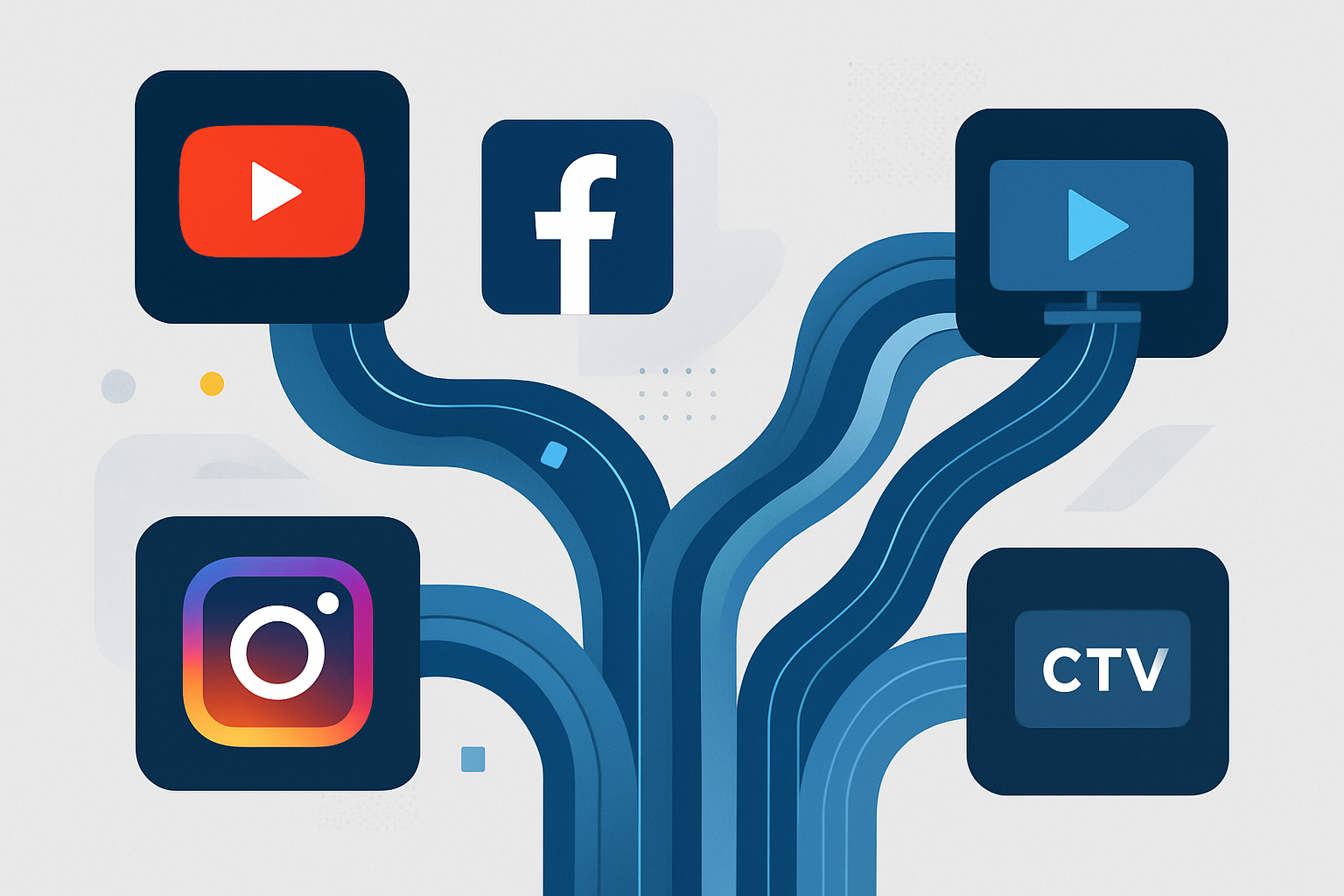
Platform-Specific Implementation: YouTube, Facebook, Instagram, and CTV
Each platform has its own SDK dependency chain, ad tag format, and compliance requirements. The implementation path differs enough that treating them as interchangeable causes build debt and tracking failures.
YouTube In-Stream Ads: IMA SDK Setup and Ad Tag Requirements
YouTube in-stream ads are delivered via Google's Interactive Media Ads (IMA) SDK. On Android, add the dependency to your build.gradle, initialize the AdsLoader, and attach it to your video player lifecycle.
// Android: IMA SDK initialization
val adDisplayContainer = AdDisplayContainer.createContainer(videoPlayerView, this)
val settings = ImaSdkSettings().apply { language = "en" }
val adsLoader = ImaAdsLoader.Builder(context)
    .setImaSdkSettings(settings)
    .build()
adsLoader.setPlayer(exoPlayer)
adsLoader.requestAds(AdsRequest().apply {
    adTagUrl = "https://pubads.g.doubleclick.net/gampad/ads?..."
    adDisplayContainer = adDisplayContainer
})
The ad tag URL carries all targeting parameters. Pass iu (ad unit), sz (size), description_url, and correlator at minimum. GDPR consent signals attach via npa=1 when consent is not granted.
Targeting optimization for in-stream campaigns leverages YouTube's understanding of content consumption patterns and audience engagement behaviors — placement targeting enables ads to appear alongside contextually relevant content, which measurably improves completion rates (Source: rajivgopinath.com). Pass explicit placement IDs via the ad tag when targeting specific channels or video categories.
Facebook and Instagram In-Stream: Audience Network SDK Integration
Meta's Audience Network SDK handles in-stream delivery on both Facebook and Instagram. Initialize the SDK once at app launch and register an InterstitialAdListener for in-stream placements.
// Android: Meta Audience Network in-stream listener
InterstitialAd interstitialAd = new InterstitialAd(context, "YOUR_PLACEMENT_ID");
InterstitialAdListener listener = new InterstitialAdListener() {
    @Override
    public void onAdLoaded(Ad ad) { interstitialAd.show(); }
    @Override
    public void onError(Ad ad, AdError error) { Log.e("AudienceNetwork", error.getErrorMessage()); }
};
interstitialAd.loadAd(interstitialAd.buildLoadAdConfig()
    .withAdListener(listener)
    .build());
Meta in-stream placements require your app to be reviewed and approved for Audience Network. Approval typically takes 5–7 business days. Your placement ID must match the app bundle ID registered in Meta Business Manager.
CTV and OTT Platforms: VAST/VPAID Compliance and Server-Side Ad Insertion
CTV delivery relies on IAB VAST 4.x ad tags. The player (Roku, Fire TV, Apple TV) calls your VAST endpoint, parses the XML, and renders the video. VPAID is deprecated on most CTV surfaces — if you're building for CTV, target VAST 4.x with SIMID for interactive overlays.
Server-side ad insertion (SSAI) stitches ad content directly into the manifest stream, bypassing client-side ad blockers and reducing buffering. AWS Elemental MediaTailor and Google DAI are common SSAI providers. Your VAST tag must be accessible via HTTPS and return a valid response within 2 seconds or most players will skip the ad slot entirely.
Ad Format Specs Cheat Sheet: Resolution, Duration, File Format, and Safe Zones
| Platform | Resolution | Max Duration | File Format | Safe Zone |
|---|---|---|---|---|
| YouTube | 1280×720 min | No cap (skippable) | MP4 (H.264) | Keep CTAs out of bottom 20% |
| Facebook/Instagram | 4:5 or 9:16 | 15s (non-skip) / 240s | MP4, MOV | Center 80% of frame |
| CTV (VAST) | 1920×1080 | 30s typical | MP4 (H.264), HLS | Per-publisher spec |
---
Measuring In-Stream Campaign Performance: Attribution Without the Guesswork
Running instream advertising without clean attribution is like running a paid campaign with UTM parameters stripped out. You see installs, but you can't assign credit or optimize spend.
Why In-Stream Clicks Break Standard Attribution
In-stream ad clicks on mobile typically open a browser or the App Store directly. That redirect breaks the referrer chain — by the time the user installs and opens the app, the originating campaign data is gone. Standard last-click attribution tied to a URL parameter doesn't survive an App Store redirect.
Deep Links and Deferred Deep Links: Routing Users to the Right Screen
A deep link routes an existing user directly to a specific in-app screen. A deferred deep link does the same thing even if the app isn't installed yet — it stores the intended destination and campaign metadata, survives the App Store redirect, and delivers the user to the correct screen on first open after install.
Before: User clicks in-stream ad → generic App Store page → installs → opens to home screen → install unattributed to campaign.
After: User clicks in-stream ad → deferred deep link captures campaign data → App Store redirect → install → first open delivers user to correct in-app screen → install attributed to the specific in-stream campaign.
That routing difference directly affects conversion rate and LTV measurement. A user landing on a contextually relevant screen converts to a paying user at a meaningfully higher rate than one dropped on a home screen.
Connecting In-Stream Click Data to Install Events via an MMP
A mobile measurement partner (MMP) sits between your ad click and the install event, receiving postbacks from both the ad platform and your app SDK to triangulate attribution. The MMP resolves which click source gets credit based on your attribution window settings and matching logic.
Deeplinkly handles both the deferred deep linking and the attribution layer in one SDK. When supported deterministic campaign data survives the store redirect, the user lands on the right in-app screen and the install ties back to the campaign and creative. Setup takes under 30 minutes, and campaign-level reporting is available via a transparent API without tiered pricing that penalizes scale. Deeplinkly does not fingerprint devices to infer fallback matches; an install without a supported click or referrer signal remains unattributed.
Key Metrics to Track: VTR, CVR, CPI, ROAS, and Post-Install Events
VTR (view-through rate): Completions ÷ impressions. Benchmark: 15–30% for skippable, 85–95% for non-skippable. CVR (click-to-install rate): Installs ÷ clicks. Expect 15–40% depending on store page quality and deep link accuracy. CPI (cost per install): Total spend ÷ installs. Highly variable by vertical; gaming averages $1–$3 on Android, $2–$5 on iOS. ROAS: Revenue from attributed users ÷ ad spend, measured at D7 and D30. Post-install events: First purchase, level completion, subscription start — these are the signals that separate high-LTV cohorts from low-LTV noise.
---
In-Game Purchases and In-Stream: Monetization Formats That Work Together
Mobile developers often treat in-game purchases and ad revenue as competing models. They're not — in a well-structured monetization stack, instream advertising feeds the top of the funnel while in-game purchasing captures value from activated users.
How In-Game Purchases and In-Stream Ads Coexist in a Monetization Stack
Non-paying users are not dead weight — they generate ARPDAU through ad impressions. Paying users are insulated from ads by purchase gates or premium status. A tiered model where free users see in-stream ads and paying users do not is the baseline structure for most top-grossing mobile games. The key metric is whether ad revenue per free user + IAP revenue per paying user exceeds your blended CPI.
Rewarded Video as the Bridge Between In-Stream Ads and In-Game Purchasing
Rewarded video is the highest-performing in-stream format for mobile games. The user opts in to watch a full video ad in exchange for in-game currency, an extra life, or a consumable. That transaction has two effects: it generates ad revenue from the view, and it exposes the user to in-game economy mechanics that increase in-game purchasing intent. A user who earns 50 gems from a rewarded ad and spends them is far more likely to purchase gems the next time they run out.
Avoiding User Friction: When to Show Ads vs. Prompt In-Game Purchases
Show ads when the user has exhausted a resource and is at a natural pause — level fail, energy depletion, wait timer. Prompt ingame purchases immediately after a high-engagement moment — boss defeat, level-up, progression unlock. Overlapping these two prompts in the same session state creates friction and suppresses both conversion rates. Sequence them intentionally based on session depth and user segment.
Measuring Lift: Do In-Stream Ads Drive More In-Game Purchasing?
Run holdout tests segmenting users who saw rewarded in-stream ads against those who did not, and measure D7 IAP conversion rate and ARPDAU delta. Studies in mobile gaming consistently show that rewarded video users have higher in-game purchase conversion rates than non-ad-exposed users — the exposure to the in-game economy via ad rewards creates purchase intent. Track both ad revenue and IAP revenue at the user level in your MMP to capture the combined LTV signal.
---
Common In-Stream Integration Mistakes and How to Avoid Them
Most in-stream campaigns underperform not because the format is wrong, but because the integration skips foundational steps. These mistakes follow a consistent pattern (Source: siriusxmmedia.com).
Skipping Goal Definition Before SDK Setup
Mistake: Developers initialize the IMA SDK or Audience Network before defining whether the campaign goal is installs, rewarded completions, or post-install events.
Why it happens: The SDK setup is straightforward, so it happens first. Campaign goal configuration feels like a marketing problem, not a dev problem.
Fix: Define your primary KPI — CPI, VTR, ROAS — before writing a line of SDK code. The goal determines your bidding model, attribution window, and which postback events you configure in your MMP. SDK setup without that context produces a working integration that measures the wrong thing.
Mismapping Audiences to the Wrong Ad Format
Mistake: Running 30-second non-skippable pre-rolls to cold audiences who have never engaged with your app category.
Why it happens: Non-skippable feels like guaranteed exposure. But forced viewing from an unqualified audience drives skip intent, negative sentiment, and poor downstream CVR.
Fix: Match format to funnel stage. Skippable or bumper ads for cold audiences; non-skippable or mid-roll for retargeting warmed segments. Audience targeting for in-stream campaigns should leverage platform-level behavioral signals — YouTube's content consumption data and Meta's interest graph give you the tools to segment before you bid.
Ignoring Creative Quality Thresholds Across Platforms
Mistake: Submitting the same 16:9 landscape video to YouTube, Facebook, and CTV without adapting for safe zones, aspect ratios, or first-5-seconds hook requirements.
Why it happens: Video production is expensive, and teams cut corners on variants.
Fix: At minimum, produce a 9:16 mobile variant for Facebook and Instagram, and ensure your primary CTA and branding appear within the first 5 seconds — before any skip option appears. Platform creative rejection is a silent revenue killer; a rejected ad serves no impressions while your budget counter runs.
Misconfiguring Attribution Windows and Click-to-Install Gaps
Mistake: Using a 24-hour click attribution window for an in-stream campaign where the average click-to-install gap is 48–72 hours on iOS.
Why it happens: Default MMP settings aren't reviewed, or the team assumes mobile installs happen instantly.
Fix: Set attribution windows based on your actual click-to-install distribution — pull the histogram from your MMP before configuring. For in-stream campaigns specifically, deferred deep links extend the attribution accuracy because the campaign token is embedded in the install event, not just inferred from a time-window match. Revisit the deep linking setup in the attribution section if your install match rate is below 80%.
---
FAQ
What is the difference between in-stream and out-stream video ads?
In-stream ads play inside an existing video player — before, during, or after content — and require the user to be watching video. Out-stream ads play outside a video player, typically auto-playing in article or app environments without requiring a host video. In-stream generally delivers higher completion rates and engagement because users are already in a video consumption context.
How do deferred deep links work with in-stream ad campaigns?
When a user clicks an in-stream ad, a deferred deep link captures the campaign parameters and intended in-app destination before the App Store redirect. After the user installs the app and opens it for the first time, the deep linking SDK resolves the stored destination and routes the user to the correct in-app screen. The install is simultaneously attributed to the originating campaign, closing the attribution gap that App Store redirects typically create.
What are the technical requirements for running in-stream ads on YouTube?
YouTube in-stream ads require integration of Google's IMA SDK, a valid VAST-compliant ad tag served via Google Ad Manager or DV360, and video assets encoded in H.264 MP4 at a minimum resolution of 1280×720. The ad tag must pass consent signals (GDPR/CCPA) via the npa parameter. Skippable ads have no maximum duration; non-skippable ads are capped at 15–20 seconds depending on targeting region.
Can in-stream advertising work alongside in-game purchases without hurting user experience?
Yes, when sequenced correctly. Show in-stream ads at natural pause points — level fail, energy depletion — and reserve purchase prompts for high-engagement moments like level completion or progression unlocks. Rewarded video is the most compatible format because the user opts in, preserving experience while generating ad revenue and increasing in-game purchasing intent through economy exposure.
How do I attribute installs from in-stream ads without device fingerprinting?
Use a deferred deep link that carries supported campaign data through the install flow rather than relying on fingerprinting. On Android, the Play Install Referrer can deliver those parameters; in supported Deeplinkly flows, a click identifier serves the same purpose. When the user opens the app after installing it, the SDK resolves the deterministic attribution data. If no supported signal survives, Deeplinkly leaves the install unattributed.
What is a good view-through rate (VTR) benchmark for in-stream video ads?
For skippable in-stream ads, a VTR of 15–30% is typical. Non-skippable formats benchmark at 85–95% by design. Rewarded video, where users opt in, regularly exceeds 95% completion. VTR below 15% on a skippable format usually signals a creative problem — the first 5 seconds are not holding attention — rather than a targeting or bidding issue.
---
Conclusion
In-stream advertising delivers high-intent clicks, but intent only converts to revenue when the full funnel is correctly wired: format matches the audience, platform SDK is configured to spec, deep linking routes users to the right screen, and attribution captures the install event back to the campaign. Each layer is independent — a gap at any point breaks the chain.
If you haven't run in-stream yet, start with platform specs and format selection based on your campaign goal. If you're already running campaigns but losing installs to attribution gaps or home-screen drop-offs, the deep linking and MMP setup is the highest-leverage fix available. Fix that layer first, then optimize creative and bidding with the clean data it produces.
Read next: How Deferred Deep Links Fix Mobile Attribution — A Developer's Walkthrough.
Turn in-stream clicks into attributed installs
Deeplinkly carries campaign intent through the App Store redirect, routes users to the right screen, and ties every install back to the in-stream ad that earned it — live in under 30 minutes. Start free or talk to sales.